Personal habit cost tracker

What are your habits really costing you?

Coffee. Takeaway. Alcohol. Petrol. Energy drinks. Cost of Me turns small everyday purchases into the number you've never actually worked out.

☕ Coffee🍔 Takeaway🍺 Alcohol ⛽ Petrol🥤 Energy drinks🛍 Shopping 🚬 Smoking🎰 Gambling➕ Anything else
One latte, extended

$6 doesn't sound like much.

Five a week. That's the whole calculation. Here's where it lands.

A week$0
A month$0
A year$0
Five years$0

Small habits. Surprisingly big numbers.

Two seconds, not two minutes

Track it in seconds.

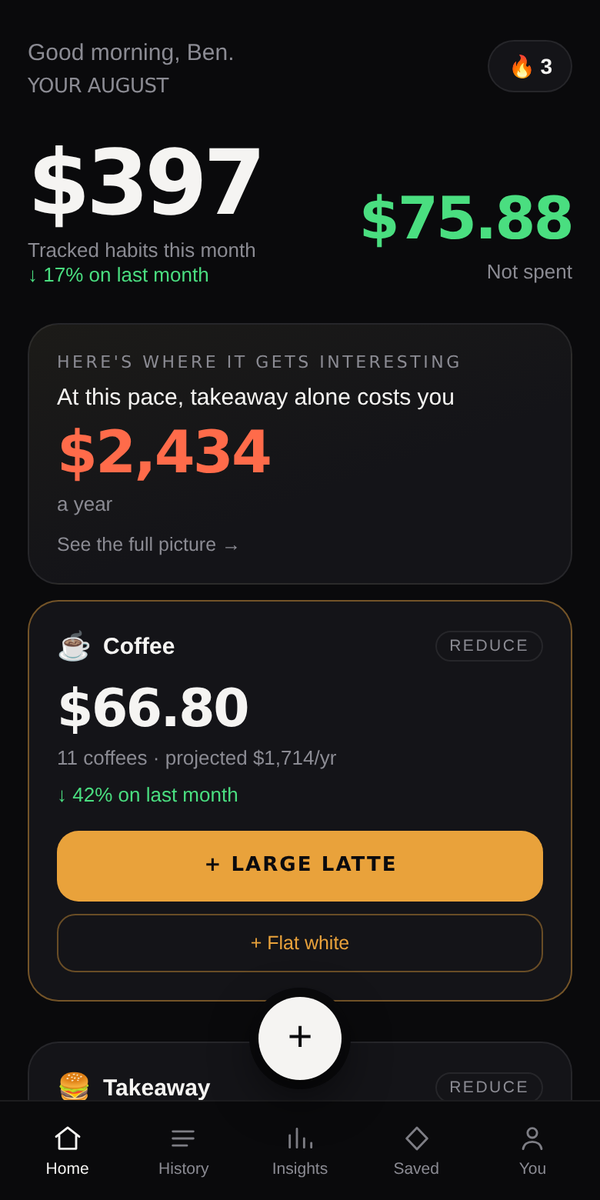
Save what you usually buy once. After that, logging is a single tap — and the totals move while your finger is still on the screen.

No budgets

Nothing to set up, nothing to balance, no categories you'll never use.

No bank accounts

Manual on purpose. Typing it in is what makes you notice it.

No spreadsheets

Tap. Logged. Done. Then get on with your day.

Good morning, Ben.

Your August

$843

↓ 12% on July

☕ Coffee20 coffees
$120.00
+ MEDIUM LATTE
🍔 Takeaway7 meals
$168.00

Go on, tap it.

The actual app

One tap, then the numbers do the talking.

Cost of Me dashboard showing tracked habits and one-tap logging
TrackOne tap logs your usual. Totals move while your finger's still on the screen.
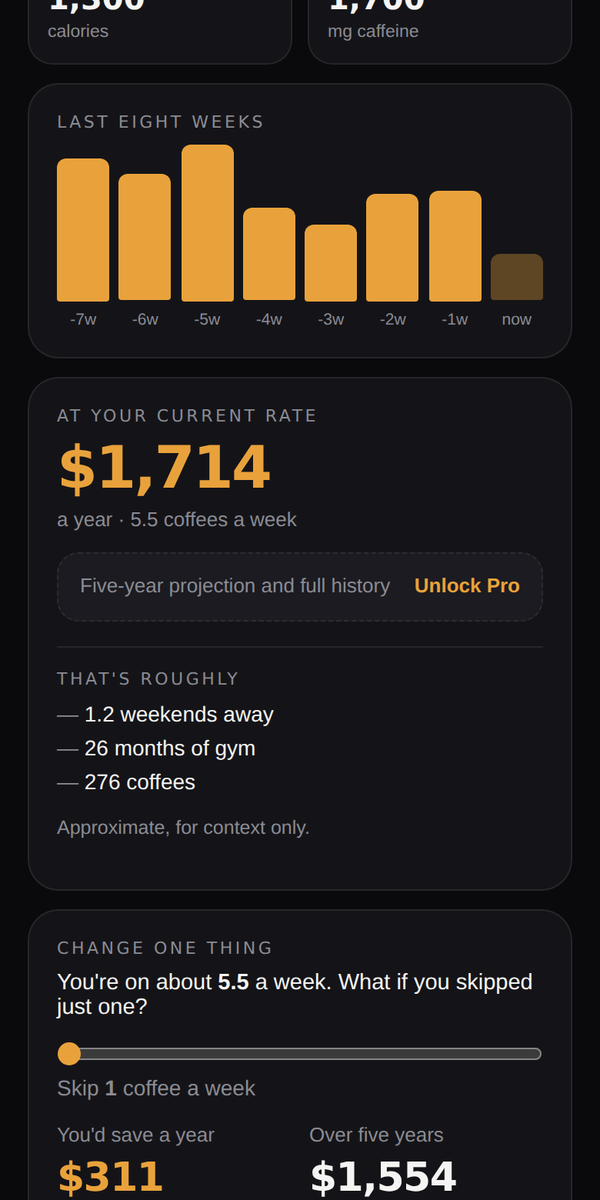
Category screen showing an annual projection and the change-one-thing slider
DiscoverWhat it becomes over a year — then a slider showing what skipping one is worth.
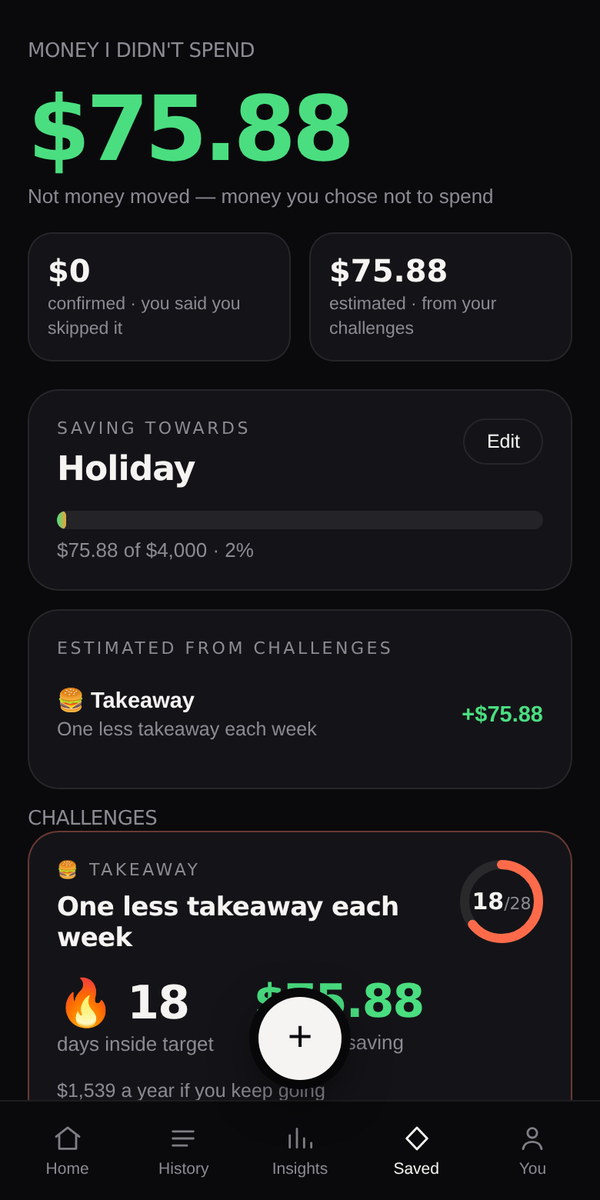
Money I didn't spend screen with confirmed and estimated savings
ChangeMoney you chose not to spend, pointed at something you actually want.
Projections

See the future cost.

Every habit gets a twelve-month number based on how you've actually been behaving — not one unusual Friday multiplied by 365.

☕ Coffee$1,560 / year
🍔 Takeaway$2,480 / year
🥤 Energy drinks$936 / year
Combined annual cost$4,976
What if?

Change one thing.

Drag a slider, watch the year change. One fewer takeaway each week is worth about $1,248 a year — then the app tracks whether you actually do it.

Challenge

Max five coffees this week. No takeaway for seven days. Pick something small.

Streak

🔥 17 days. Break it and you'll see your previous best, not a telling-off.

Money I didn't spend

Estimated savings, measured against your own last four weeks. Point it at a holiday.

Why it's manual

No bank connection. That's the point.

Cost of Me never connects to your bank, reads your transactions or sees your balance. You choose what you track — and logging it yourself is what makes you notice it. An app that quietly categorises your spending in the background teaches you nothing.

No bank logins

Nothing to connect, nothing to revoke, no read-only access to your accounts.

You choose what's tracked

One habit or ten. Everything else stays none of our business.

Yours to take

Export everything to CSV, or delete the lot in two taps. No hostage-taking.

Pricing in AUD

Free is genuinely useful. Pro is the full picture.

Free
$0
forever
  • Two categories
  • One-tap logging
  • This month's dashboard
  • 30 days of history
  • One active challenge
  • Basic share cards
Start for free
Best value Pro yearly
$39.99
a year — $3.33 a month, save 33%
  • Unlimited categories and history
  • Annual and five-year projections
  • Personal patterns and insights
  • Unlimited challenges and goals
  • Weekly and monthly reports
  • Full share cards and CSV export
Start yearly
Pro monthly
$4.99
a month
  • Everything in Pro
  • Cancel anytime
  • No card required for free
Start Pro

No credit card for the free plan. Ever.

No download needed

It's already an app.

Cost of Me runs in your browser and installs to your home screen in about ten seconds — no App Store, no 200MB download, no account until you want one. It opens full screen with its own icon, and it works offline.

iPhone & iPad
  1. Open costofme.com.au in Safari. This only works in Safari — Chrome on iPhone can't add to the home screen.
  2. Tap the Share button at the bottom of the screen: a square with an arrow pointing up out of it.
  3. Scroll down the list and tap Add to Home Screen.
  4. Tap Add in the top right.

You'll get the Cost of Me icon on your home screen, opening full screen with no address bar.

Android
  1. Open costofme.com.au in Chrome.
  2. Tap the menu in the top right.
  3. Tap Install app. If it isn't there, tap Add to Home screen instead — some phones word it differently.
  4. Tap Install to confirm.

Chrome sometimes offers this by itself in a bar at the bottom. Either way works.

Why it matters more than it sounds: a tracker you have to go looking for is a tracker you forget. On the home screen, logging something takes one tap.
Keep in touch

Want to know when the apps land?

Cost of Me already works on your phone — the section above shows you how. The App Store and Google Play versions are next. Leave your email and we'll tell you when they land, plus the occasional note about what's new. That's the whole list.

Your email and nothing else. Never shared, never sold, and one click to get off the list. Signing up here doesn't create an account.

It's only six dollars. Until it's two thousand.

Cost of Me won't tell you to stop buying coffee. It just shows you the real number and lets you decide whether you care.

Start for free